
The Reality of the Hospital Lead-Lined Triage Room
Picture this scenario: It’s 3:15 AM. You’ve been at the hospital for four hours supporting a client through intense active labor. The room is quiet, the lights are dimmed, and the mom is resting comfortably between contractions.
You step back to the corner of the room to pull up her birth plan, review her prenatal notes regarding her medical preferences, or log a quick update on her labor progress.
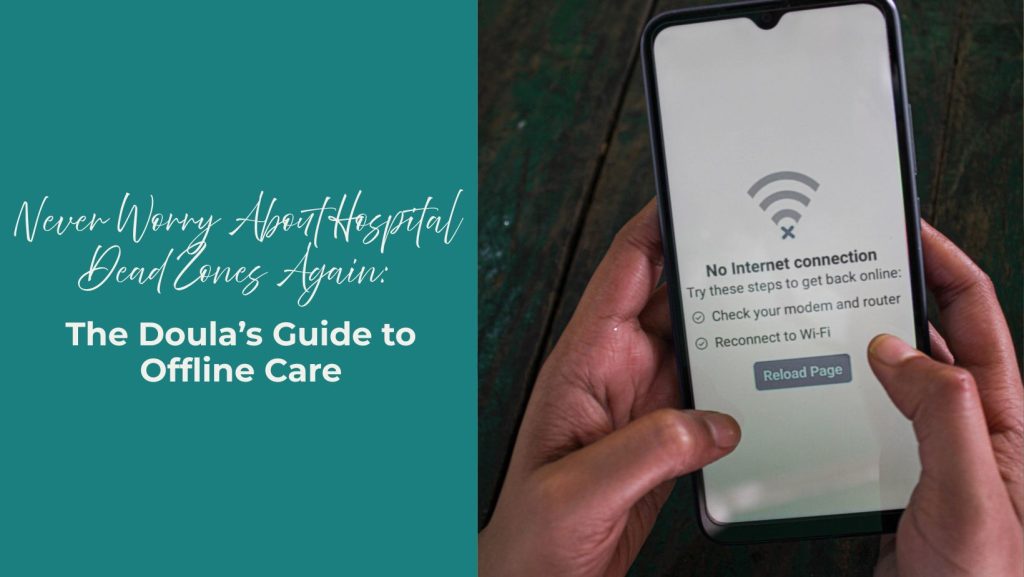
You pull out your phone, open your app, and met with the dreaded spinning loading wheel, followed by a stark message: “No Internet Connection.”
Hospitals are notorious dead zones. Thick concrete walls, lead-lined triage rooms, and basement labor wards routinely block cellular signals and butcher guest Wi-Fi connections.
When you are at the bedside supporting a laboring family, technology should be completely invisible and reliable. You shouldn’t have to wander out into the hallway searching for cell service just to check a birth plan or risk losing the labor log entries you spent hours recording.
Software Should Adapt to Birth Work (Not the Other Way Around)
Most modern software applications are built assuming you are sitting at a desk with lightning-fast fiber internet. They rely on constant, active server connections to display information or save data.
If the signal drops for even ten seconds, the app crashes, freezes, or fails to save your work.
When we designed BirthFlow’s Offline Mode, we built it around a simple principle: A doula’s focus should remain 100% on the laboring mother—never on a spinning wheel.
Here is how the system turns your phone into a self-contained, unbreakable Offline Birth Kit the moment your internet connection disappears.
How Offline Birth Logging Works When the Wi-Fi Dies
1. The Pre-Birth Local Cache
Before you even step foot into a hospital dead zone, BirthFlow prepares your device behind the scenes.
The moment you toggle “Support Started” in your app while still on cell data or home Wi-Fi, the system quietly downloads a secure, local snapshot of that active client’s essential details directly onto your phone’s internal storage:
- The Safety Header: Critical medical details, known allergies, and current medications remain anchored to the top of your screen.
- Birth Plans & Registration Forms: Full access to her written birth preferences and intake answers.
- Recent Prenatal Summaries: Quick access to notes from your last 3 to 5 visits so you can recall specific details discussed during pregnancy.
2. Instant-Tap Labor Charting
While supporting labor offline, you can continue logging birth events seamlessly:
- Quick-Tap Buttons: Record dilation, effacement, station, position changes, and medication updates with a single tap.
- Local Storage Protection: Every entry saves instantly to your phone’s local memory with an accurate, automatic timestamp.
- Zero Lag: Because the data is saving locally to your device, buttons respond instantly without waiting for a server ping.
3. Background Cloud Synchronization
You never have to remember to “upload” or “export” your notes once you leave the birth.
The moment your phone catches a bar of cell service—whether you step into the elevator, walk to the hospital parking garage, or reconnect to home Wi-Fi—BirthFlow silently detects the connection in the background.
It automatically pushes all your queued birth log entries, timestamps, and private notes up to the secure cloud server, updating your master agency records without requiring you to re-type a single word.
Staying Present Where It Matters Most
Being a great birth worker isn’t about having the fanciest technology—it’s about presence, intuition, and unwavering support.
By engineering tools that work completely offline, we take the stress of lost data, weak signals, and tech glitches off your shoulders. That way, you can keep your phone in your pocket, your hands on her back, and your heart right where it needs to be.
Frequently Asked Questions
Which features are available while my phone is completely offline?
While in Offline Mode during an active birth, you can view the client’s medical profile, birth plan, registration details, and recent prenatal notes. You can also continuously create new birth log entries, record labor milestones, and write private care notes.
Which features require an active internet connection?
Features that require real-time external communication—such as live team chat, publishing updates directly to the client’s portal view, or starting an agency time-clock shift—will pause until cellular or Wi-Fi service is restored.
What happens if my phone battery dies while working offline?
All entries saved in Offline Mode are written directly to your phone’s permanent local storage the instant you tap them. Even if your phone battery dies completely, your saved entries will remain intact and will automatically sync to the cloud as soon as you charge your phone and reconnect to the internet.